Integrated Payment Processing: One Place to Centralise Your Transaction Data
by
Team Teya
It's Monday morning. You worked the floor all weekend and takings were strong. But before you can confirm Tuesday's supplier order, you need to know what actually landed in your account.
That includes logging into your card machine portal to pull the weekend report, cross-referencing with your accounting software, then checking your bank to confirm settlement cleared.
Three systems. Three logins. Thirty minutes you could have saved.
This is the default setup for most local businesses in the UK: payments through one provider, banking through another, accounts in a third. It works until the figures don't match and you spend your lunch break finding out why.
UK businesses made around 7.6 billion payments in 2024. Most of those transactions pass through at least two disconnected systems before they appear in a business's accounts. The friction this creates is a risk for working capital. If you don't know what's settled and what's still in transit, you can't make confident decisions about spending.
Integrated payment processing is the approach that connects all these activities and helps you complete them faster. In this scenario, your card reader, till, business bank account and accounting software share data automatically, speeding up revenue reporting and reconciliation, without your direct intervention.
How integrated payment processing works
To understand how this works in practice, it's worth looking at the three main touchpoints where your money travels: your point of sale, your bank account, and your books.
True integration means these elements stop acting like isolated silos and start operating as a single, continuous loop. Depending on how your business is set up, this connectivity happens across three distinct layers.
Syncing your payments and EPOS
There are two main models for connecting a card machine to an EPOS system.
App-to-App integration runs the EPOS software directly on the card machine. One device handles both the order and the payment: no separate till, no cable, no sync delay. This suits compact setups: market stalls, kiosks, pop-up retail where space is limited.
Cloud communication (POSLink) connects a standalone till and a separate card machine via the internet. The till sends a payment request to the terminal when the customer is ready to pay; the terminal confirms approval back to the till. One key for each amount, no mismatches. For most established businesses with a fixed till, like a restaurant, a gym, or a convenience store, this is the practical model.
Teya's card readers support both approaches, connecting with more than 50 EPOS partners including Epos Now, Loyverse, SamTouch, and Swoopos.
To find out which systems work directly with Teya's terminal and how to set them up, see the guide on how to connect Teya to EPOS systems.
What you can do with it:
Connecting your card reader directly to your EPOS means your staff never have to manually re-type a sale amount onto the card terminal.
If an order comes to £42.50 on your till, that exact figure pushes to your Teya reader automatically. This eliminates the keying errors, forgotten tips, and accidental double-charges that slow down service during busy rushes.
Managing payments and banking in a single place
A lot of businesses manage payments through one provider and banking through another. Settlement arrives eventually, but there's an empty space between "what processed" and "what's available," and it requires daily manual checks.
Teya's settlement flows directly into a single account for banking and payments, arriving the next day, including weekends and bank holidays.
There's no separate transfer between a payment provider and a bank account; the money is simply there. A pub landlord who needs to pay a Monday morning delivery driver from weekend card takings, for instance, can really benefit from that easy setup.
Practical use cases:
Instead of juggling a separate payment processor and a traditional business bank account, you can bring your card settlements and daily spending into one unified platform.
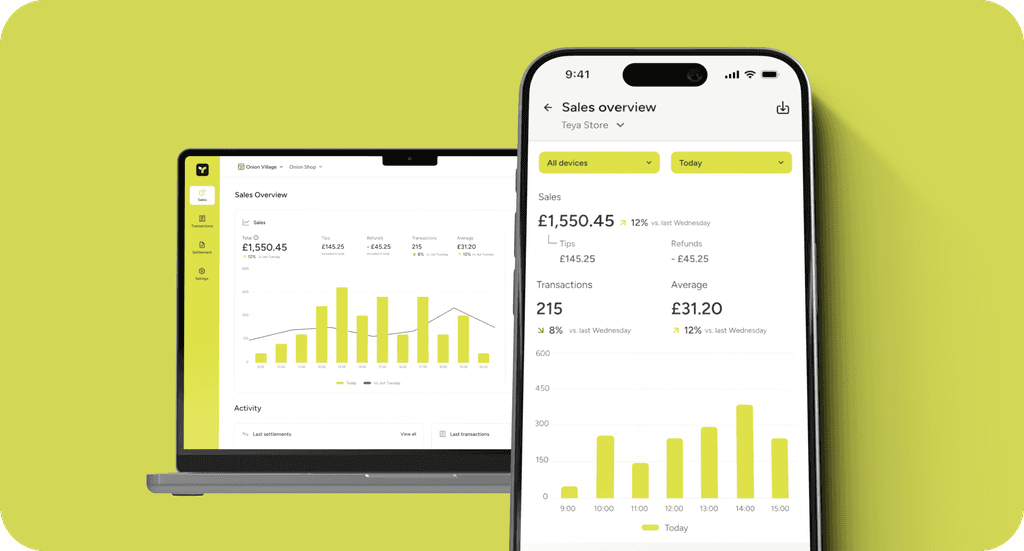
This gives you immediate, real-time access to your revenue through the Teya app or web portal. Instead of just viewing a dashboard of pending figures, you can instantly use a Teya business debit card to buy emergency stock or pay suppliers, while earning 0.5% cashback on your eligible business spending.
With free domestic money transfers and zero fees to open or maintain the account, you save resources and the manual effort of constantly shuffling funds between different providers.
Connecting payments to accounting
Even with a connected terminal and a business bank account, the accounting step is where most businesses fall short in integration. Errors tend to accumulate in CSV exports, manual journal entries, and mismatched settlement dates, and where bookkeepers spend time they shouldn't have to.
Teya connects directly with Xero, QuickBooks, and Sage. Transactions flow into the accounting software automatically. Instead of entering data manually in separate tools, you can review the numbers at the end of the month with fewer errors.
For businesses that take payments online and in person, Teya's integrated online payments feed into the same account, giving you a single view of in-person and online revenue without manual consolidation.
What does it mean for your day-to-day
This integration eliminates the need to download weekly CSV exports or manually enter spreadsheet journals. By linking your Teya Business Account directly to Xero or QuickBooks via the Teya app, every single business transaction syncs automatically in real time.
If you're making the switch from a traditional setup, you don’t have to start from scratch: you can instantly pull in up to 12 months of past transaction history for Xero and up to 24 months for QuickBooks.
When it comes time for monthly reconciliation or quarterly tax filing, your books are already up to date, turning hours of tedious cross-checking into a simple review process.
What to check before committing to an integrated setup
Some providers claim to offer integrated payment processing without being transparent about the bureaucracy involved. Before choosing such a solution, ask:
Does the terminal connect to your specific EPOS system, not just "compatible EPOS systems"?
Does settlement land in the same account as your business banking, or do you still transfer between providers?
Does the accounting integration pull transaction-level data, or just daily totals?
Who handles support for the integration: the payment provider, or the EPOS partner?
The answers determine whether you're getting genuine integration or a looser arrangement that still needs manual work at the joins.
One view of your money
Besides saving you some time on a Monday morning, integrated payment processing gives you more confidence to make financial decisions without waiting for data to catch up.
A café owner who can see settled revenue, available balance, and current-month accounting figures from one place doesn't need three separate calls to understand what happened at the weekend.
Running a local business is complex enough without manual data entry slowing you down. Transitioning to a fully integrated ecosystem moves you away from daily firefighting and toward a smoother, more efficient operation that gives you total control over your cash flow.
See Teya's pricing and find out if it's the right setup for your business.
Connect Payments With Teya
Team Teya
•