
What are the different types of card machines in the UK?
Offering your customers the convenience of card payments is no longer a luxury, it's a necessity. But with so many options available, choosing the right device can feel a bit overwhelming.
That's where Teya comes in.
We're here to help beginners understand everything they need to know about card machines and guide them through the decision-making process. From simple card readers to all-in-one point of sale (POS) systems, the technology is designed to fit the unique needs of every business, whether you run a bustling cafe, a pop-up shop, or a local service.
Understanding the different types of card machines is the first step toward making your payment process smoother for you and your members. Let's walk through the main options to help you find the perfect fit for your business.
Understanding different types of card machines
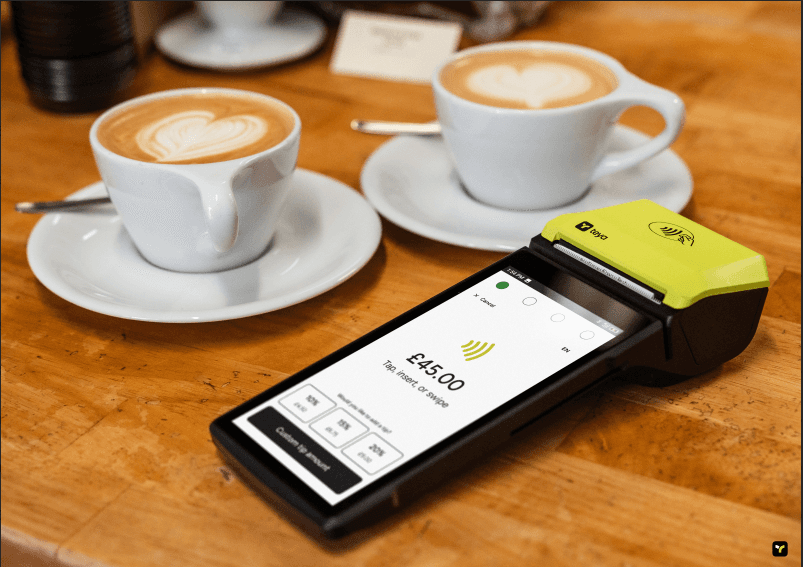
The right payment terminal can streamline your operations, improve customer experience, and even help you manage your business more effectively. Each type of machine comes with its own set of features and benefits, tailored to different business environments.
In this article, we will focus on only 5 different types of card machines. If you want to understand all the options, check out our site at https://www.teya.com/pricing
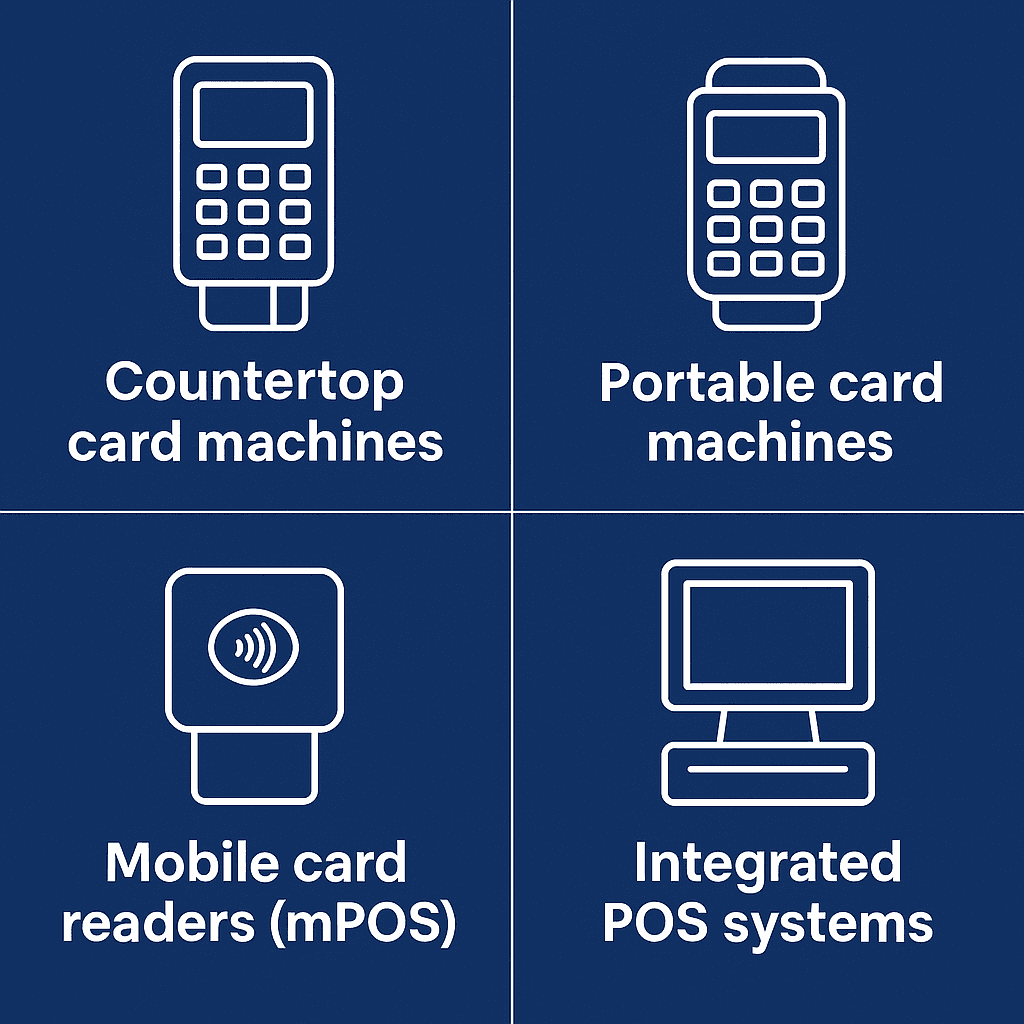
1 of 5: Countertop card machines (Teya Essential and Teya Pro)
These are the traditional, sturdy terminals you often see at a fixed till point in shops, cafes, and reception desks.
How they work: Countertop machines are plugged directly into a power source and connect to the internet via an ethernet cable or Wi-Fi. This stable connection makes them highly reliable and fast, ensuring you can process transactions without any delays, even during your busiest hours.
Who they're for: They are the perfect solution for any business with a dedicated checkout area. Think retail stores, supermarkets, salons, and quick-service restaurants. If your customers always come to a specific spot to pay, a countertop machine is a dependable choice.
Key benefits: Their main advantages are speed and reliability. Because they are always connected and powered, you don't need to worry about battery life or a dropped mobile signal interrupting a sale.
2 of 5: Portable card machines (Teya Go)
Portable card machines offer more flexibility than their countertop cousins, allowing you to take payments to your customers, rather than making them come to the till.
How they work: These devices connect to a base unit using Bluetooth or Wi-Fi, giving you the freedom to move around within a certain range (usually up to 100 metres). They are battery-powered, so you can carry them anywhere within your premises for hours at a time.
Who they're for: They are a game-changer for the hospitality industry. Restaurants, pubs, and cafes love them because staff can take payments directly at the table, making the process quicker and more convenient for diners. This also helps turn tables over faster during busy services.
Key benefits: The standout benefit is customer convenience. It improves the flow of service and allows for a more personal interaction when it's time to pay. Features like built-in tipping options are also incredibly useful in a hospitality setting.
3 of 5: Mobile card readers (mPOS)
For businesses that are always on the move, mobile card readers, also known as mPOS (mobile point of sale), are the ultimate flexible solution.
How they work: These are small, lightweight devices that pair with a smartphone or tablet via Bluetooth. You use an app on your phone to enter the transaction amount, and the customer uses the reader to tap, insert, or swipe their card. They use your phone's Wi-Fi or mobile data (3G, 4G, or 5G) to process the payment.
Who they're for: Mobile card readers are ideal for mobile businesses. This includes market traders, food trucks, pop-up stalls, taxi drivers, and tradespeople like plumbers or electricians who take payments at a customer's home.
Key benefits: Their biggest advantages are portability and affordability. They are compact enough to fit in your pocket and generally have a lower upfront cost than traditional terminals. They make it possible to accept secure card payments anywhere you have a mobile signal.
Did you know you can use your phone to accept payments with Teya? Check the Tap To Pay on Android or the Tap to Pay on iPhone pages!
4 of 5: Integrated POS systems (PAX A35)
An integrated POS system goes far beyond just taking payments. It's a comprehensive solution that connects your payment terminal with powerful business management software.
How they work: These systems combine hardware (like a touchscreen, cash drawer, and card machine) with software that can manage inventory, track sales, handle staff rotas, and generate detailed business reports. When a payment is made, the transaction is automatically recorded in the system, keeping all your data in one place.
Who they're for: Integrated POS systems are a fantastic tool for growing businesses that need a more holistic approach to management. Retail shops, multi-site cafes, and busy restaurants can benefit hugely from the efficiency and insights these systems provide.
Key benefits: The main benefit is efficiency. By automating tasks and centralising data, point of sale technology saves you time and reduces the chance of human error. It gives you a clear view of your business performance, helping you make smarter decisions about stock, staffing, and sales strategies.
5 of 5: Tap to Pay via Smartphones
Your smartphone can now double as a payment terminal, offering unparalleled convenience and flexibility.
How they work: Tap to Pay technology transforms compatible smartphones into secure payment acceptance devices. Instead of needing a separate card reader, businesses can use a dedicated app (like Teya's Tap to Pay solution) on their Android or iOS smartphone. Customers simply tap their contactless card or another digital wallet (like Apple Pay or Google Pay) directly onto the merchant's phone to complete a transaction. The payment is processed securely via the phone's NFC (Near Field Communication) chip and an internet connection.
Who they're for: This solution is perfect for micro-businesses, freelancers, mobile service providers, pop-up shops, or anyone who needs to accept payments on the go without carrying extra hardware. It's also an excellent backup for larger businesses if their primary card machine experiences issues.
Key benefits: The main advantages are extreme portability, minimal setup costs, and ease of use. You don't need to buy or maintain a separate card machine; just your smartphone and the Teya Tap to Pay app are enough. This makes it incredibly accessible for small businesses and provides a seamless, modern payment experience for customers.
What are the 4 types of payment cards?
To offer a seamless payment experience, it's helpful to understand the different types of cards your customers might use. Accepting a wide variety of electronic payment methods means you're less likely to turn a sale away. Here are the four main types:
Debit cards: This is the most common type of card in the UK, because most banks give you a debit card with no attached cost. When a customer pays with a debit card, the funds are taken directly from their current account. It's a simple, straightforward debit card transaction.
Credit cards: Credit cards let customers borrow money from a card issuer (like a bank) to make purchases. They pay this money back at a later date, between 30 to 45 days. Accepting credit cards can encourage larger purchases, as customers have more spending flexibility. Some credit cards offer reward points too.
Prepaid cards: These cards are loaded with a set amount of money and can be used just like a debit card until the balance runs out. They are great for budgeting and are often used for gifting or travel. They are like Gift Cards, but you can use their credit everywhere, not in only one store.
How do I choose a card machine?
With a clear understanding of the different types of card machines, you can now think about which one is right for your business. The best choice depends entirely on how you operate. Here are a few key questions to ask yourself:
Where do you do business? If you have a fixed checkout counter, a countertop machine is a solid choice. If you run a restaurant and need to take payments at the table, a portable terminal is essential. For those on the go, a mobile card reader is the only way to go.
What are your connectivity options? Check the reliability of your internet connection. A countertop machine can use a stable ethernet cable, while portable and mobile options rely on Wi-Fi or mobile data. If your Wi-Fi can be patchy, look for our machine with a built-in SIM card for 4G backup.
What features do you need? Think about your day-to-day operations. Do you need a machine that prints paper receipts, or are email and text receipts enough? Is tipping functionality important for your business? Do you want a system that integrates with your accounting software or helps you manage inventory?
What are the costs? Look beyond the price of the machine itself. Understand the full cost structure, including any monthly rental fees, setup costs, and transaction fees. At Teya, we believe in being honest and transparent about our pricing, so you always know exactly what you're paying for.
How important is support? When you rely on card payments, you need to know that help is available if something goes wrong. Our customer support is top-notch, with multiple options, like WhatsApp, Email, Live Chat or our Help Centre.
Team Teya
•
Oct 9, 2025